issues-troubleshooting
Issues: Find and Fix Problems | Chrome DevTools | Chrome for Developers
To investigate an issue:
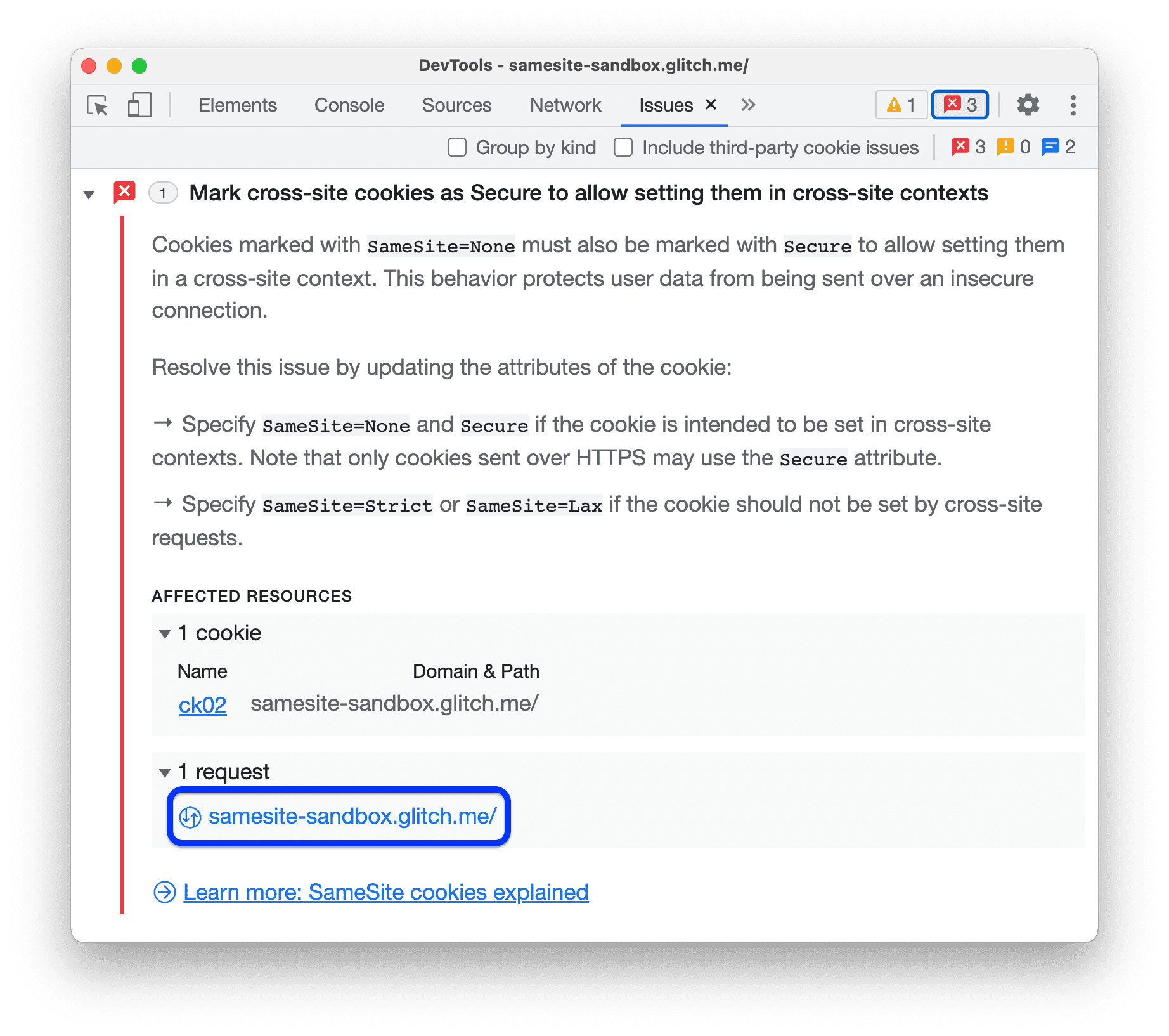
- In the AFFECTED RESOURCES section, click the resource link to view the element in the appropriate context in DevTools. In this example, click on
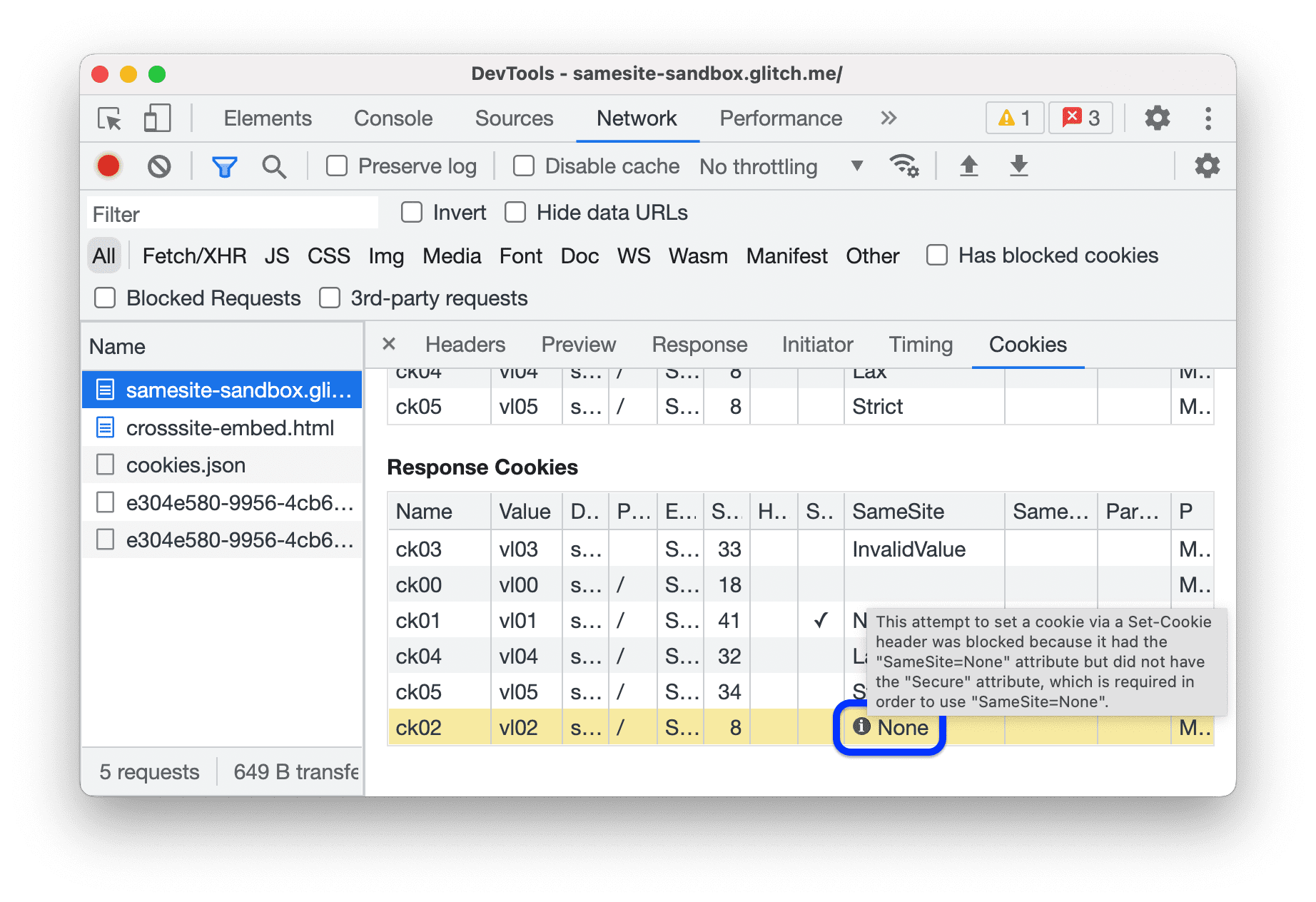
samesite-sandbox.glitch.meto display the cookies attached to this request. The link will take you to the Network panel.
- Scroll to view the problematic element: in this case, the
ck02cookie. Hover over the information icon on the right to see the issue and how to fix it.